







Optimum Target: Smart Communication PlatformSaudi MadeMeta Business Partner

WhatsApp Business API · Meta Business Partner

Your WhatsApp does not just reply.It reads, decides, acts and sells.

The OPT-WA Smart Communication Platform from Optimum Target connects your current number to official WhatsApp while the app stays on your phone, links it to your website and systems through the API, and backs it with an AI employee that replies from your approved information, on WhatsApp and the other communication channels from one screen.

  • 24/7Non-stop operation and response
  • APIReads and writes data in your systems
  • AI + FlowReply menu and AI in the same journey
  • Meta Business Partner
  • Saudi tax invoice
  • Setup and training in Arabic
  • Activation usually within 1–3 working days

OPT-WA Smart Communication Platform is the WhatsApp Business API platform from Optimum Target in Riyadh. It combines a team inbox, campaigns with Meta-approved templates, AI auto-replies in every plan, and integration with your systems. Activation usually takes 1 to 3 working days, prices are published in riyals, and Meta fees are paid to Meta directly.

Organisations that run on the OPT-WA Smart Communication Platform

  • Al Ahli Hospital logo
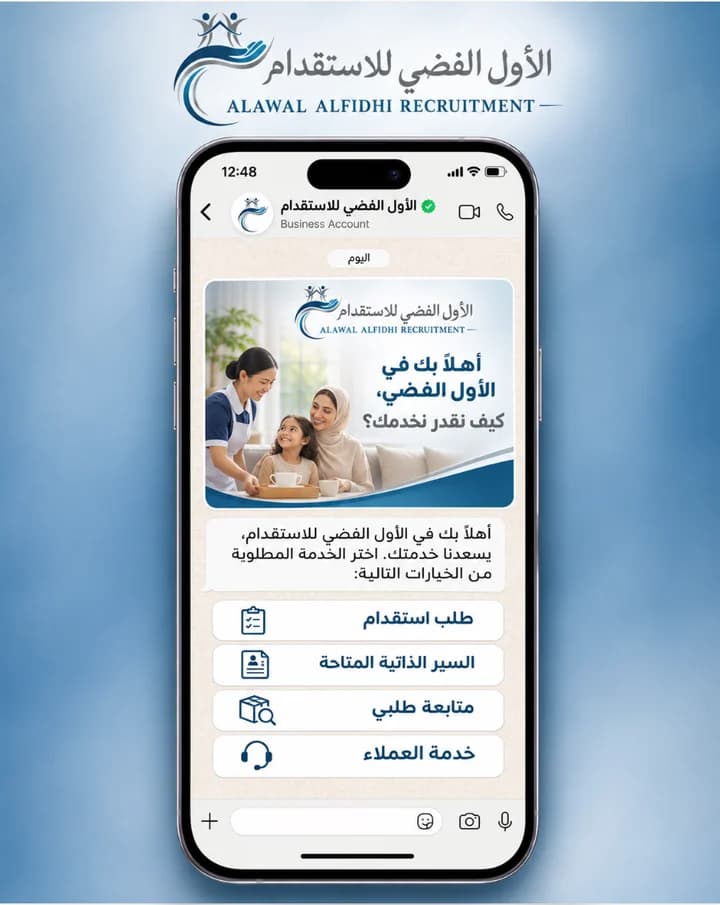
  • Alawal Alfidhi Recruitment Company logo
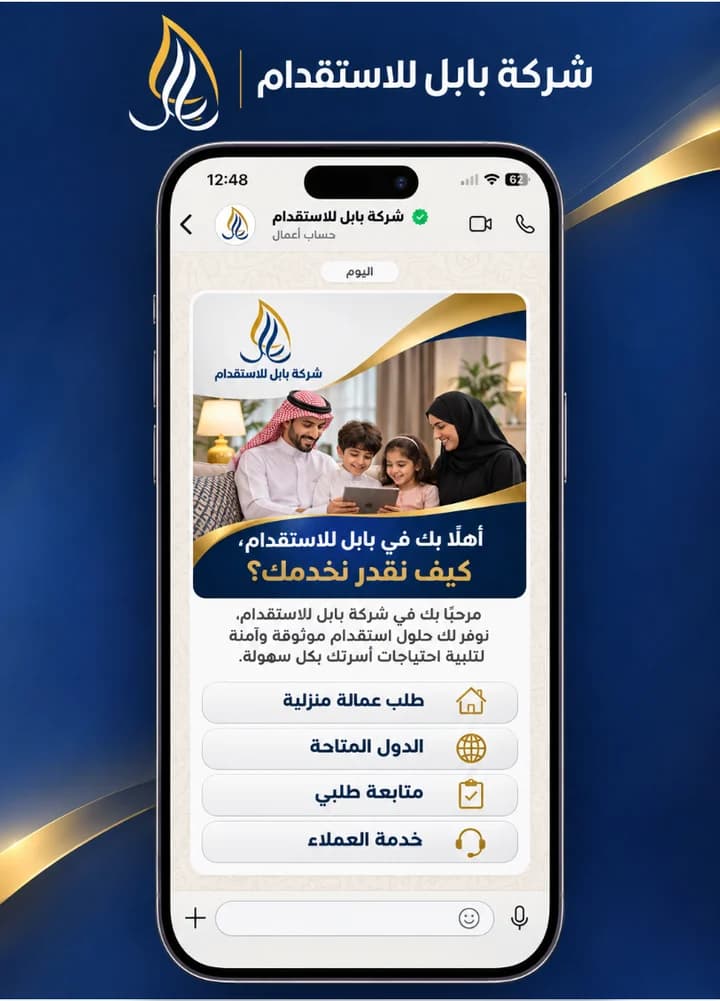
  • Babel Recruitment Company logo
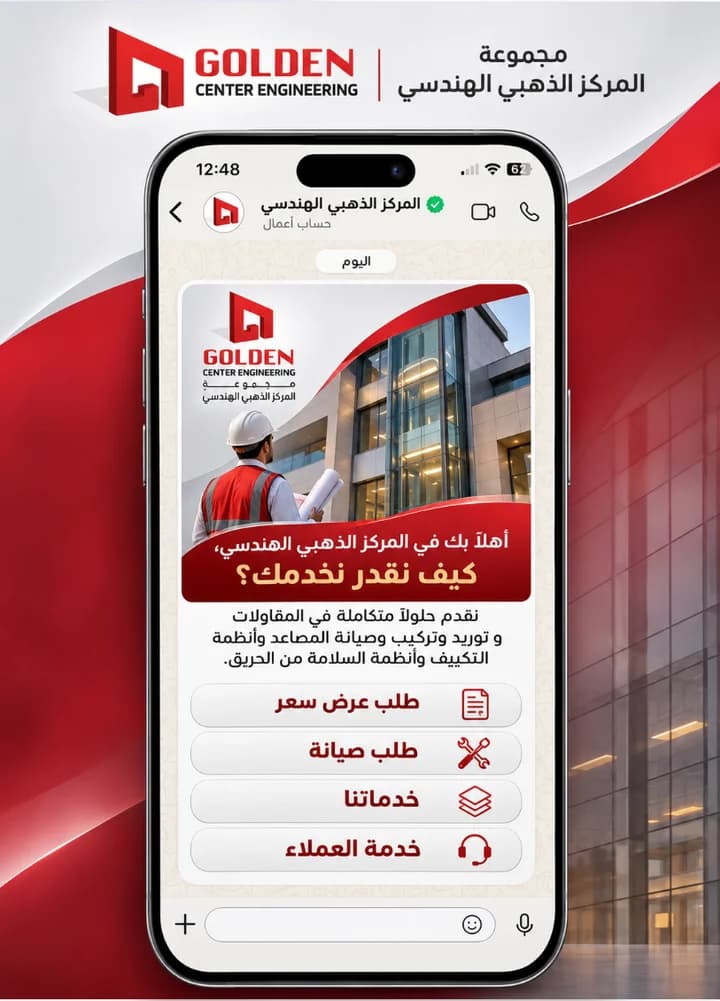
  • Golden Center Engineering Group logo
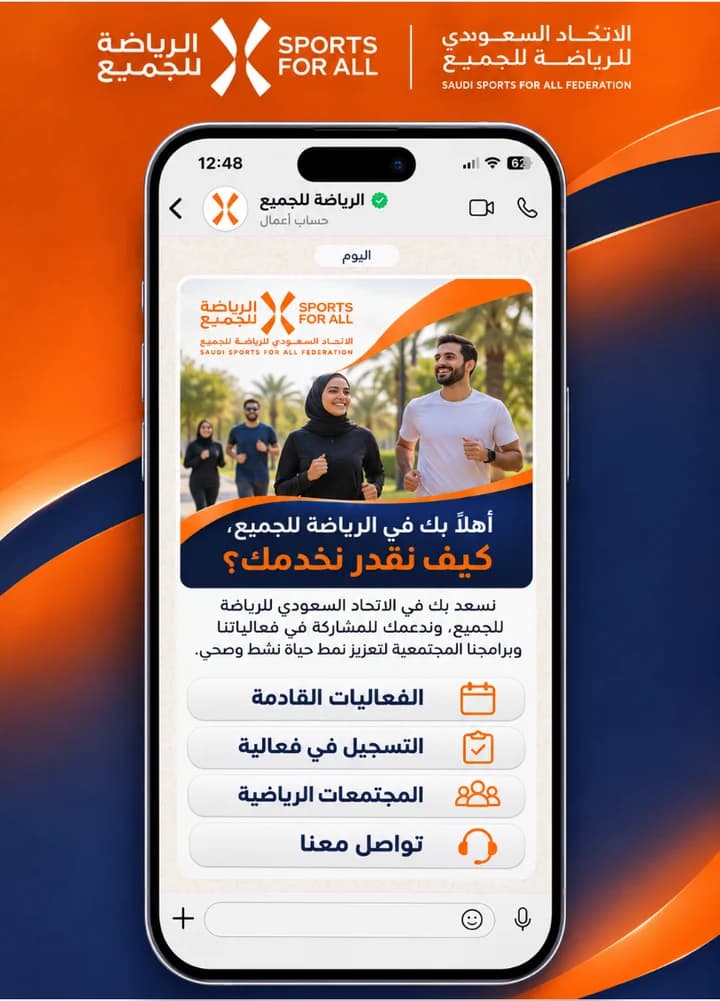
  • Saudi Sports for All Federation logo
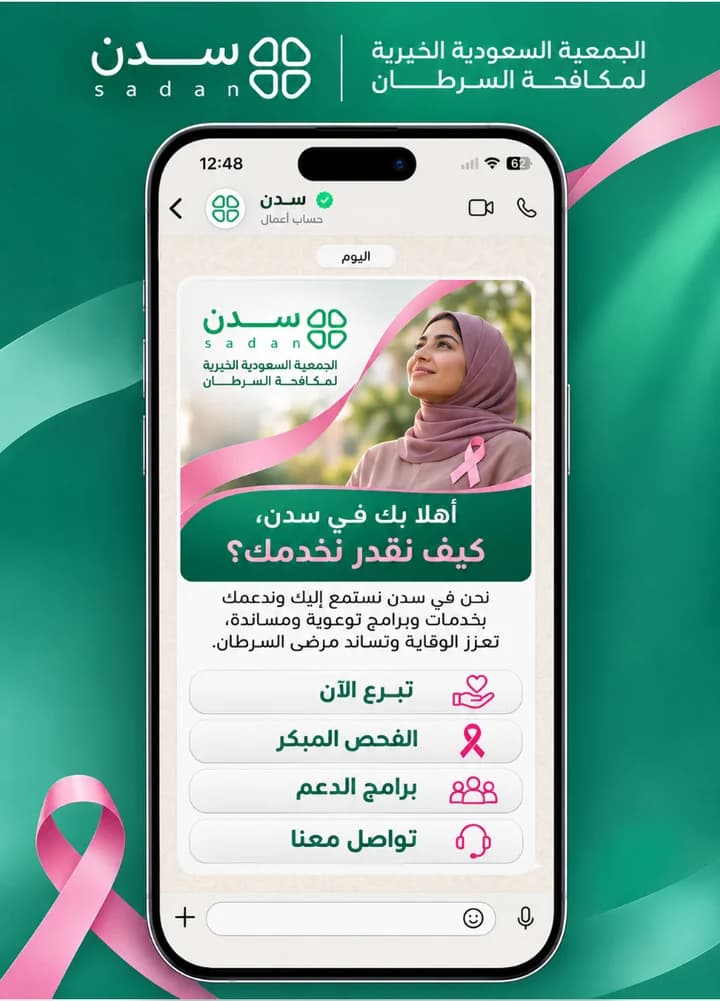
  • Saudi Charitable Society for Combating Cancer (Sadan) logo
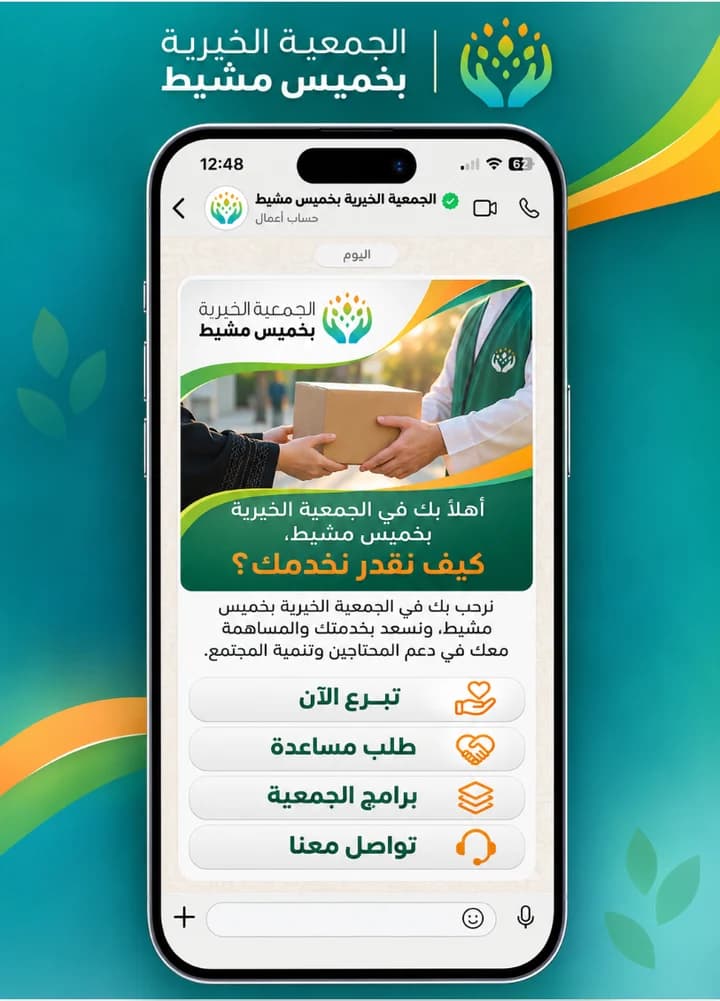
  • Khamis Mushait Charitable Society logo
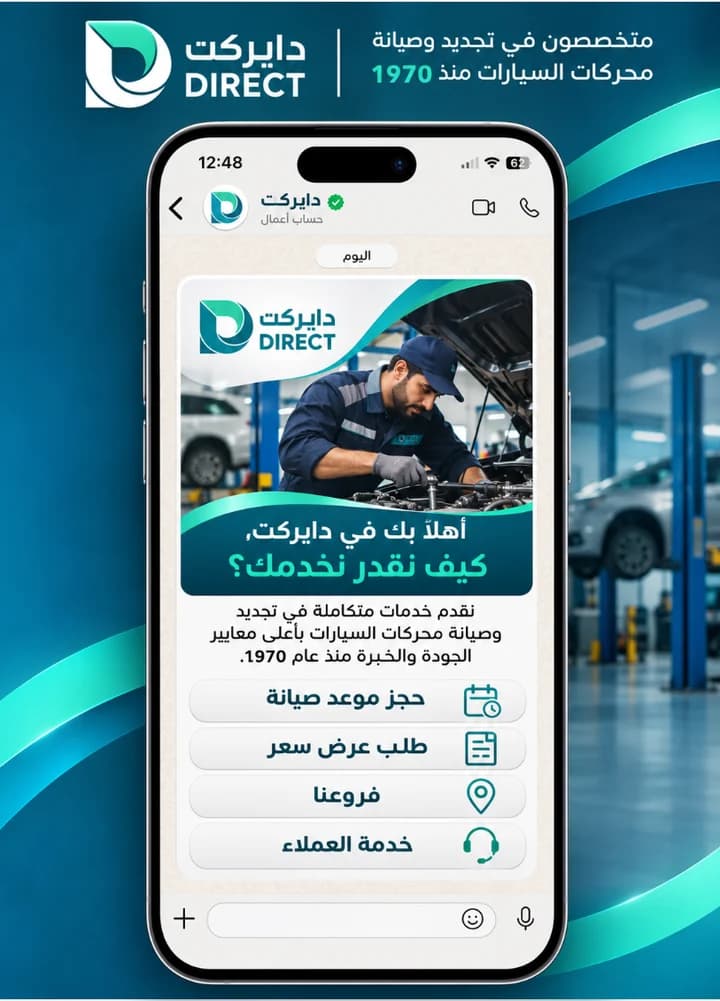
  • Direct logo

Messages lost between employees

One inbox for the whole team on the business number, and every conversation has an owner.

Late replies

AI auto-replies in every plan, during working hours and outside them.

You do not know who followed up with the customer

Conversation history and transfers between employees in one place, with performance reports.

How it works

What happens after the message arrives

One real conversation from start to finish, as your customer sees it on their phone.

  1. The message reaches the team inbox

    Whichever channel the customer messages you on, their message appears to your team in one place, so there are no scattered phones and no lost conversations.

  2. The reply comes straight from your system's data

    The order status, invoice, appointment or result is pulled from your system and reaches the customer in seconds without an employee stepping in.

  3. The conversation moves to the right department

    When the customer needs an employee, the conversation is transferred to the correct department with its full context.

  4. Follow-up continues after the sale

    Follow-up messages, rating requests and repeat-purchase offers are sent automatically at the right time.

E
Example StoreUsually replies within seconds

Features

What you can do with OPT-WA

Campaigns with Meta templates

Offers and reminders for the customer lists that agreed to receive your messages.

AI auto-replies

They answer frequent questions and take orders outside working hours, and hand the conversation to a team member when needed. Your brand works around the clock, intelligently.

A whole team on one number

Conversations distributed by department or branch, with permissions for each user.

Integration with your website, store and CRM/ERP

Through the API in the Automation & Integration and Complete Smart Suite plans.

Learn more

Reply tree and scheduling

An automated reply tree and scheduling of messages and campaigns, in the Complete Smart Suite plan.

Performance reports

Message log, campaign reports and team performance.

Prices

How much does WhatsApp API cost in Saudi Arabia?

The cost has two parts: the platform subscription (fixed, paid to us) and Meta fees on messages (by usage, according to Meta's price list). Last updated: 16 November 2026.

Setup is a one-time fee of SAR 575 incl. VAT with a 3-month subscription, and it is free with every yearly subscription and with the Starter plan. Starter is for one user and one number, with no add-ons. Add-ons incl. VAT: an additional user is SAR 345 for three months or SAR 690 for the year, an additional number is SAR 437 for three months or SAR 1,725 for the year, and "All channels" is SAR 299 for three months or SAR 1,150 for the year.

PlanUsers and numbers3 months1 year
Starter1 user, 1 WhatsApp number897.00—
Smart WhatsApp Management2 users, 1 WhatsApp number1,499.00+ 575.00 setup, one-time4,999.00about SAR 417 a month, or about SAR 13.7 a day
Automation & Integration5 users, 1 WhatsApp number2,099.00+ 575.00 setup, one-time6,999.00about SAR 583 a month, or about SAR 19.2 a day
Complete Smart Suite10 users, up to 3 WhatsApp numbers2,999.00+ 575.00 setup, one-time9,999.00about SAR 833 a month, or about SAR 27.4 a day

Prices in Saudi riyals, incl. 15% VAT. Setup is SAR 575 incl. VAT, one-time with a 3-month subscription, and free with every yearly subscription and with the Starter plan.

Optional add-ons

  • Extra user: SAR 345 for 3 months, or SAR 690 for 1 year, incl. VAT.
  • Extra WhatsApp number: SAR 437 for 3 months, or SAR 1,725 for 1 year, incl. VAT.
  • All channels: unified inbox: SAR 299 for 3 months, or SAR 1,150 for 1 year, incl. VAT.

To subscribe, message us on WhatsApp and our team will set up your plan.

Subscribe on WhatsApp

Meta message fees are paid to Meta directly.

Meta fees per message (official, October 2026)
Message typeApproximate feeWhen it applies
Marketing (offers and campaigns)about SAR 0.22Every marketing template message that is delivered
Utility (order confirmation, appointment reminder)about SAR 0.04Utility template messages
Authentication (OTP login code)about SAR 0.04Login code messages
Your replies within 24 hours of the customer's last messageFree for the first 1,000 replies per month for each number, then about SAR 0.04Since 1 October 2026
A conversation started from a "Click to WhatsApp" adFree for up to 7 daysIf the customer opened it from the mobile app and you replied within 24 hours
Worked example

A store that sends 2,000 marketing messages a month pays Meta directly about SAR 440 (2,000 × 0.22), on top of the platform subscription, with no margin from us.

Your business pays Meta fees to Meta directly, and we add no margin to them. Source: Meta's WhatsApp Business Platform pricing pages. The figures are approximate at a rate of SAR 3.75 to the dollar, and Meta may change them once every quarter. We update the table at every change.

You can add "All channels" to your plan: a unified inbox for more than 12 channels

Also

What the platform handles for your team

Repetitive daily work that takes up employees' time, done by the platform automatically and with the same accuracy every time.

Automatic status notifications

Booking confirmation, order readiness, delivery time: they reach the customer without an employee following them up.

Direct link with your store

Integration with Salla, Zid, Shopify and WooCommerce to follow up orders and abandoned carts.

WhatsApp the way that suits you

Official connection through WhatsApp Cloud API for templates and campaigns, with the option to keep using the WhatsApp Business app on the same number.

Customer and number classification

Tags and lists that tell the new customer from the returning one and the interested contact from the buyer, for more precise follow-up and campaigns.

Round-robin message routing

Incoming conversations are distributed automatically among team members in turn, so the pressure does not fall on one employee.

Quick replies

Approved, ready answers to repeated questions, which the employee sends in a second and in consistent wording.

Replies are not limited to WhatsApp: Instagram, Facebook, TikTok and the other platforms

All your customers' messages in one inbox

All your channels arrive on one screen in front of your team, and the platform books the appointment, completes the order and answers about the shipment automatically, without waiting for an employee.

WhatsApp is in every plan, and the other channels come with the add-on "All channels".

The unified inbox screen of the Smart Communication Platform OPT-WA: messages from WhatsApp, Instagram, Messenger, TikTok and other channels arrive in one list, beside an open conversation in which the customer asks for an appointment, and the platform shows the available times and confirms the booking automatically without an employee stepping in.

Meta Coexistence feature

Your number and your app stay as they are, with a platform for your team

With Coexistence, your WhatsApp Business app number is officially connected to the API. The app on your phone keeps working as it is, while your team replies from the platform on the same number. Your one-to-one chats from the last 6 months are synced.

Some app features change after connecting, and Meta has conditions for the number and the app. We have gathered them for you on one page before you decide.

Learn more about Coexistence and its conditions

AI employee

AI that answers your customers from your approved information

You set the AI employee's role, sales, customer service or bookings, and give it your files, links, approved prices and your systems' data via API. It replies in Arabic and Gulf dialects, and it is available in all plans.

It is designed to answer from the information you approve. Anything outside it is passed to the right member of your staff with the chat context.

Learn more about the AI employee

Reply menu

A WhatsApp chatbot with clear paths, complemented by AI

The customer chooses from lists and buttons, and each branch of the menu reads from your system, updates it, sends a notification or hands the chat to an employee. Three example paths: sales, customer service and bookings.

If the customer writes outside the lists, the AI understands and returns them to the right path. The multi-level reply menu is in the "Complete Smart Suite" plan.

Learn more about the WhatsApp chatbot and reply menu

System integration

WhatsApp connected to your system, not a separate screen

The platform reads customer data from your system via API and carries out the action in it: order status, appointments and the customer record. Integration is ready with Salla, Zid, Shopify and WooCommerce.

API integration is in the "Automation & Integration" and "Complete Smart Suite" plans. Integration with your own system is quoted according to its setup.

Learn more about connecting WhatsApp to your systems

Automation

Messages that arrive on time without anyone having to remember them

Every point in the customer journey can become an event that triggers a message: a welcome, an order or booking confirmation, an appointment or instalment reminder, an abandoned cart follow-up, and a rating request after the service.

Messages that the business starts are sent with templates approved by Meta. Automation is available from the "Automation & Integration" plan.

Learn more about WhatsApp automation
Automation builder · Abandoned cart recoveryActive
TriggerAbandoned cart in the storeFrom Salla or Zid
WaitWait one hour
WhatsApp messageSend a cart reminderTemplate approved by Meta
ConditionWas the order completed?
Yes
WhatsApp messageSend the order confirmationWith the order number
ActionTag: Buyer
No
WaitWait 24 hours
TransferTransfer to a sales agentWith the chat context
What the customer receives on WhatsApp
Yes, go aheadYour order number 20931 is confirmed and will reach you within two days.Tag "Buyer" added

Official verification, with running costs under control

Verify your account and lower your message fees every month

Meta fees are charged to your number by the category of each message, and they grow with every campaign if they are not organised. We help you apply for the verification badge for your account, and we arrange your messages so that you pay as little as possible for your message volume and type of business.

Practical ideas for reducing Meta fees

  • Customer service messages: the first 1,000 messages a month are free for each number, so we keep as many of your replies as possible inside this category.
  • "Click to WhatsApp" ads: a conversation that starts from one is free for up to 7 days.
  • The right template category: a utility template (SAR 0.04) costs far less than a marketing template (SAR 0.22), so we do not pay the marketing rate for a confirmation or reminder message.
  • Smarter campaigns: we send to the right segment at the right time, instead of sending to everyone.
Verification optionLower Meta feesTemplates in the right categorySolutions for your type of business

Meta fees apply to your number as shown in the price table below. Your business pays them directly to Meta, and we add nothing on Meta's fees.
  1. 1
    We study your message volume and types

    Campaigns, notifications and customer service. Each type has the method that costs least.

  2. 2
    We organise the templates and flows

    We choose the category of each template and decide what is sent inside customer service conversations.

  3. 3
    You run with confidence and a clear cost

    Official messaging in front of your customer, and a cost item you know in advance.

Live with our clients

Live example: Downtown Clinics on WhatsApp

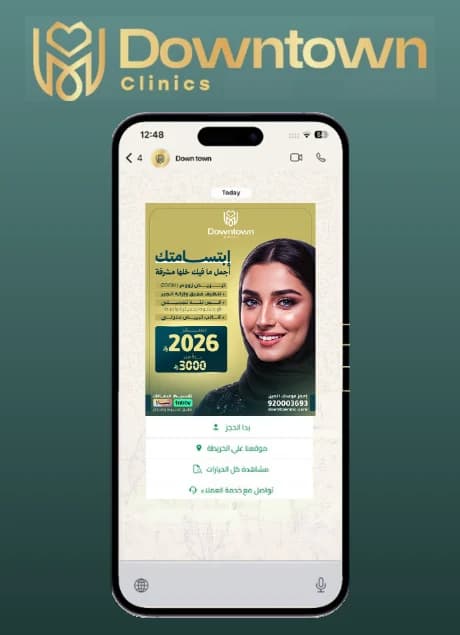
A customer messages Downtown Clinics on WhatsApp and receives the clinic's offer with ready buttons: start the booking, see the location on the map, browse all the options, or talk to customer service directly. We built this menu as part of the WhatsApp service from Optimum Target.

  • Start booking
  • Our location on the map
  • All options
  • Customer service
Want a menu like it for your business?
WhatsApp button menu for Downtown Clinics: start booking, location, options and customer service, built by Optimum Target

Templates for our clients

A WhatsApp menu in each organisation's identity

Every business has its own buttons: booking for the hospital, recruitment requests for recruitment offices, donations for charities, and quotes for companies. For each client we designed a welcome menu with its logo and colours, from which the customer picks what they want with one tap.

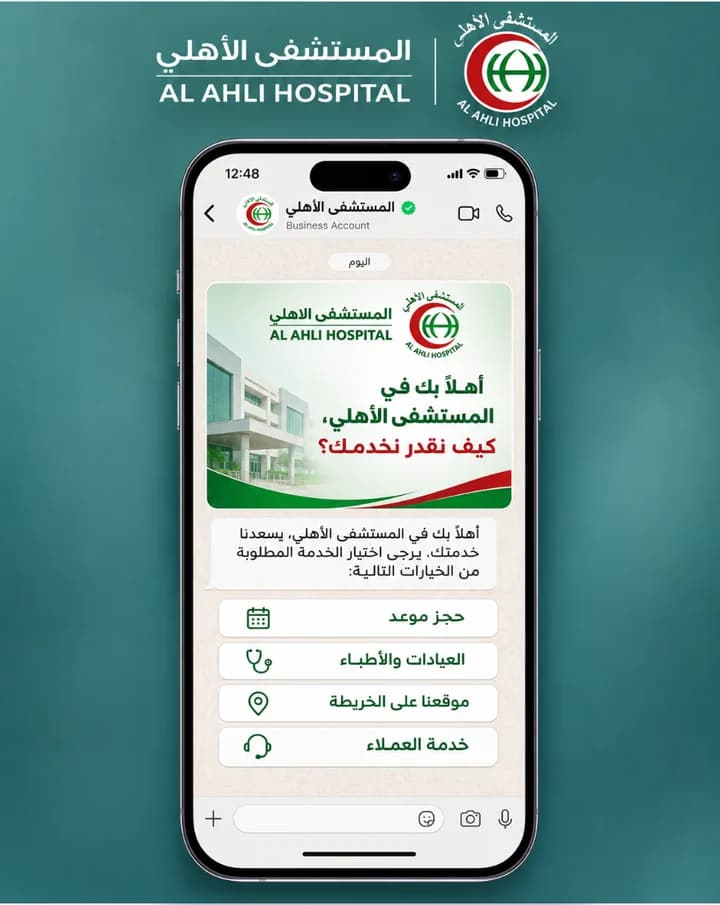
  • WhatsApp menu design for Al Ahli Hospital: Book an appointment, clinics and doctors, location, and customer service

    Al Ahli Hospital

    Book an appointment, clinics and doctors, location, and customer service

  • WhatsApp menu design for Alawal Alfidhi Recruitment: Recruitment request, CVs, track your request, and customer service

    Alawal Alfidhi Recruitment

    Recruitment request, CVs, track your request, and customer service

  • WhatsApp menu design for Babel Recruitment: Domestic worker request, available countries, track your request, and customer service

    Babel Recruitment

    Domestic worker request, available countries, track your request, and customer service

  • WhatsApp menu design for Golden Center Engineering: Request a quote, request maintenance, services, and customer service

    Golden Center Engineering

    Request a quote, request maintenance, services, and customer service

  • WhatsApp menu design for Saudi Sports for All Federation: Upcoming events, registration, sports communities, and contact

    Saudi Sports for All Federation

    Upcoming events, registration, sports communities, and contact

  • WhatsApp menu design for Sadan for Combating Cancer: Donate now, early screening, support programmes, and contact

    Sadan for Combating Cancer

    Donate now, early screening, support programmes, and contact

  • WhatsApp menu design for Khamis Mushait Charitable Society: Donate now, request assistance, the charity's programmes, and contact

    Khamis Mushait Charitable Society

    Donate now, request assistance, the charity's programmes, and contact

  • WhatsApp menu design for Direct: Book a maintenance appointment, request a quote, branches, and customer service

    Direct

    Book a maintenance appointment, request a quote, branches, and customer service

Before you subscribe

Is OPT-WA right for your business?

It suits you if

  • More than one team member replies on the same number
  • You send campaigns or reminders to your customers regularly
  • You want auto-replies outside working hours
  • You need to connect WhatsApp to your website, store or system

You do not need it if

  • One team member and few conversations: the free WhatsApp Business app is enough for you
  • You do not send bulk messages and do not need integration with systems

Quick guide

How does a Saudi business get WhatsApp API?

The business needs a Meta business account, a phone number dedicated to the API, and a display name approved by Meta. We handle connecting the number and setting up the account and templates.

  • Meta business account: an existing account is selected or a new one is created during registration.
  • Business Verification: one of Meta's requirements, submitted with official documents of the business, of a type that Meta specifies.
  • Phone number: it is registered for the API and its ownership is verified, and it requires a 6-digit two-step verification PIN. A WhatsApp Business app number has its own route, Coexistence (below).
  • Display name: it appears in chats after Meta reviews it, and if it is rejected it can be edited or appealed.
  • What we handle: activating the account and connecting the business's number, Meta-approved templates, and basic training. Activation usually takes 1 to 3 working days because it depends on Meta's review.

Source: Meta's WhatsApp Business Platform documentation (registration, phone number registration, display names and business verification), read on 2 November 2026.

What are WhatsApp API message templates and the 24-hour window?

When a customer messages or calls the business, the "customer service window" starts. It lasts 24 hours and renews with every new message from the customer. Inside it you send free-form messages, and outside it only a Meta-approved template can be sent.

  • Templates can be sent at any time, inside the window and outside it.
  • A template is reviewed automatically when it is created or edited, it is not sent until it is approved, and the review can take up to 24 hours.
  • Each template has one of three categories: Marketing, Utility or Authentication, and the category sets its fees.
  • In OPT-WA: we prepare the templates and submit them for approval. Preparing campaign content is not included in the plan.

Source: the pricing and templates pages in Meta's WhatsApp Business Platform documentation, read on 2 November 2026.

When does a business number get the official account badge?

Meta's Official Business Account badge is a blue badge next to the business name. It is requested from WhatsApp Manager, and meeting all the requirements does not mean it will be granted.

  • The requirements Meta lists: compliance with the WhatsApp Business Messaging Policy, being registered on the platform for at least 30 days, a verified business account, two-step verification turned on, and an approved display name.
  • When a request is rejected, the business waits 30 days before a new request, and the badge is not granted to WhatsApp Business app numbers.
  • In OPT-WA: we help submit the request once the requirements are met, and granting it is Meta's decision alone.

Source: the Official business accounts page in Meta's documentation, read on 2 November 2026.

Can the WhatsApp Business app and the API be used on the same number?

Yes, with the Coexistence feature: the WhatsApp Business app number is linked to the API, so one-to-one chats continue from the app, and campaigns and automation run through the platform. Coexistence is supported in OPT-WA.

  • It requires WhatsApp Business app version 2.24.17 or later.
  • One-to-one chats from the last 180 days are synced, and groups are not synced.
  • After linking, some features stop working in the app, including broadcast lists, calls, the catalogue, orders and disappearing messages, and the WhatsApp app for Windows is disconnected.

Source: the Onboarding WhatsApp Business app users page in Meta's documentation, read on 2 November 2026.

Comparison

The difference between the WhatsApp Business app and WhatsApp API

Number of people replying
WhatsApp Business appA limited number of devices linked to one phone
WhatsApp API (OPT-WA)A whole team with permissions
Bulk messages
WhatsApp Business appLimited broadcast lists
WhatsApp API (OPT-WA)Campaigns with Meta-approved templates
Auto-replies
WhatsApp Business appGreeting messages, away messages and quick replies
WhatsApp API (OPT-WA)Reply tree and AI
Integration with systems
WhatsApp Business appNot available
WhatsApp API (OPT-WA)API and integration with your website, store and CRM
Cost
WhatsApp Business appFree
WhatsApp API (OPT-WA)Subscription + Meta fees on messages

Steps

How to start

  1. 01Choose the plan and term

    Or request a free consultation to find the most suitable one

  2. 02Business verification with Meta

    We prepare the account and the display name

  3. 03Connecting the number and templates

    Usually within 1–3 working days

  4. 04Team training

    Basic training is included

Setup and support

We set up your WhatsApp and stay with you after launch

We activate your WhatsApp API account and connect your number, set up the templates, reply menu, AI employee and departments to suit your business, and train your team in Arabic. Activation usually takes 1 to 3 working days, because it depends on Meta's review.

After launch, you get technical support on all our contact channels, at all times. Start with the plan that suits you or request a quote for your business.

Learn more about setup and support

Integration with Salla

OPT-WA supports integration with Salla stores, including follow-up messages for abandoned carts. The details of the integration depend on the plan and the type of integration, and custom integrations outside the plan are priced separately. For those building their store: Store design on Salla.

Comparing with Wati or another platform?

For a team of 10 people, the yearly cost of OPT-WA is less than half the cost of several well-known platforms at their published prices, and for a small team other platforms may cost less. See the full comparison, with sources and dates.

FAQ

Frequently asked questions about OPT-WA

What is WhatsApp API, and how does it differ from the WhatsApp Business app?

WhatsApp API is an official interface from Meta that lets a business send and receive messages through a platform, for several team members, campaigns, auto-replies and integration with systems. The WhatsApp Business app suits one team member and a small number of conversations. OPT-WA is the WhatsApp Business platform from Optimum Target that runs on top of this interface.

How do I get WhatsApp API in Saudi Arabia?

The business needs a Meta business account, a phone number dedicated to the API, and a display name approved by Meta, along with business verification. We handle connecting the number and setting up the account and templates. Activation usually takes 1 to 3 working days because it depends on Meta's review.

What is the price of WhatsApp API in Saudi Arabia?

It is made up of the platform subscription, which is the plans published in riyals incl. VAT in the pricing section, and Meta fees per message, which are paid to Meta directly with no margin from us. We review the prices every quarter.

Is WhatsApp API free, or does it have a free-of-charge trial?

There is no free-of-charge trial for OPT-WA, and a free consultation is available before you subscribe. Message fees are set by Meta: since 1 October 2026 the first 1,000 service messages per month for each number carry no fees, and a conversation the customer starts from a "Click to WhatsApp" ad may stay without fees for up to 7 days if the reply comes within 24 hours.

What are message templates and the 24-hour window?

The customer service window starts with the customer's message or call and lasts 24 hours, and it renews with every message from the customer. Inside it you send free-form messages, and outside it only Meta-approved templates. A template is reviewed before it is used, and the review can take up to 24 hours.

Can you promise the official badge on the account?

No. Granting the official account badge is Meta's decision, and it is a blue badge. We help submit the request when the business meets the requirements.

Can I use my current number, and does the WhatsApp Business app keep working?

Yes, through the Coexistence feature: the WhatsApp Business app number is linked to the platform, one-to-one chats continue from the app, and campaigns and automation run through OPT-WA. This requires app version 2.24.17 or later, and some app features stop working, such as broadcast lists and calls.

How long does activation take?

We start activation after payment and after receiving the business's details, and it is usually complete within 1 to 3 working days, depending on Meta's review of the business verification and the display name. The subscription term starts from the activation date.

Does OPT-WA have AI replies?

Yes. Smart auto-replies are in every plan, and AI-powered live chat is in the Complete Smart Suite plan.

Does OPT-WA connect to a Salla store?

Yes, integration with Salla is supported, including follow-up messages for abandoned carts. Custom integrations outside the plan are priced separately.

Is there a monthly subscription?

No. The subscription is for three months or for a year, and it is paid upfront for the full term. The smallest subscription is the Starter plan for one user and one number: SAR 897 incl. VAT for three months, with setup free.

Start with the plan that suits your business

We review how your team works and calculate the cost with the expected Meta fees before any commitment.

Prices last updated: 16 November 2026 · OPT-WA by Optimum Target, Riyadh