
A reply menu that does more than give replies: it manages the decision
The WhatsApp chatbot in the OPT-WA Smart Communication Platform is built on a reply menu. The customer chooses from lists and buttons, and each branch can read data from your system, update it, send a notification, or hand the conversation to a team member with its context. If the customer writes outside the lists, AI takes over and returns them to the right path.
The multi-level reply menu and scheduling are in the "Complete Smart Suite" plan, and smart replies are in all plans. OPT-WA Smart Communication Platform plans
- Read the customer record from the CRM
- Suggest products based on their interests
- Official template with an "Order now" button
- Pass the sales opportunity to the sales rep
- Check the order number
- Pull the status from the system via API
- Send the update to the customer automatically
- Open a ticket when needed
- Read the available times
- Choose the time inside WhatsApp
- Confirm and update the booking system
- Automatic reminder before the appointment
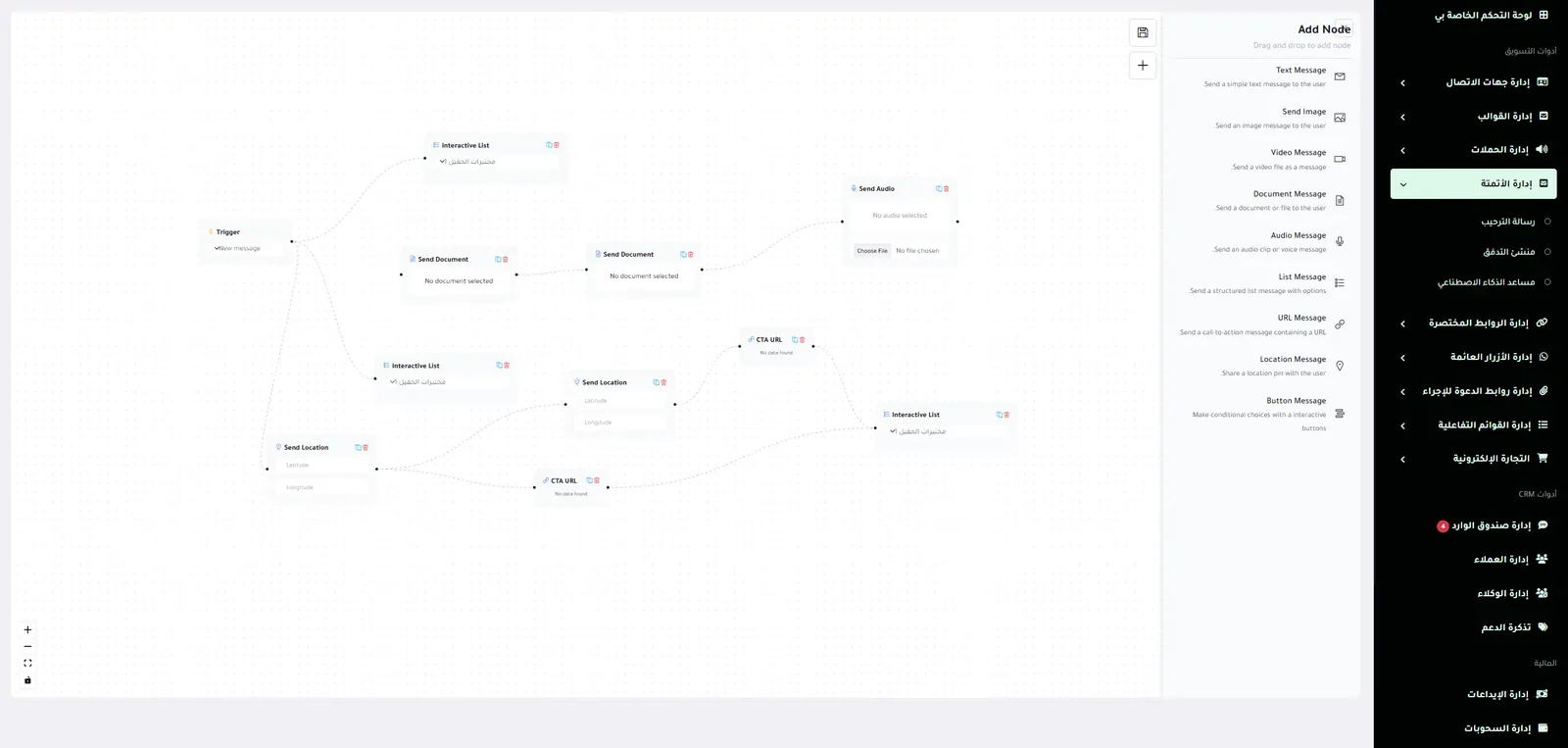
The reply menu builder, inside the platform
What can each branch do?
Reads
A value from your system: an order status, an appointment or a balance.
Writes
An update in your system: a booking, a ticket or a note on the customer.
Notifies
The customer or your team, with a message at the right time.
Routes
The customer to the next path, according to their choice.
Hands over to a team member
The conversation to the relevant department, with its full context.
If the customer leaves the reply menu
The experience does not stop: the AI employee understands what the customer wrote in everyday dialect, answers from your files, links and knowledge base, then returns them to the right path.
The reply menu versus "Press 1, press 2"
And if you want the difference between a welcome message and a full chatbot, read WhatsApp auto-reply for businesses.
Long lists, a customer who repeats their details, many links, and manual transfer between team members.
Understanding the intent, pulling the data, carrying out the action, replying, logging, and automatic transfer.
We design it for your business
The reply menu is part of setup: we map out with you the paths your customers actually ask about, connect them to your systems, then adjust them with what you learn from the conversations.
FAQ
Reply menu: frequently asked questions
What is the difference between a WhatsApp chatbot and the auto-reply in the WhatsApp Business app?
The auto-reply in the app is a fixed greeting or away message. The WhatsApp chatbot in the platform is a reply menu of paths with lists and buttons: it reads and writes in your system, hands over to a team member, and continues with AI if the customer leaves the path.
Do I need programming to build a WhatsApp chatbot?
No. The reply menu is built in the reply builder in the platform, and we design it with you as part of setup. Connecting to your own system is by quote, depending on the state of your system.
Does the chatbot work 24 hours a day?
Yes. The reply menu and the AI employee reply inside and outside working hours, and conversations that need a team member wait until your team picks them up.
Can the chatbot be connected to a booking system or a store?
Yes, via API: it shows available appointments and confirms the booking, and follows up orders and abandoned carts. There is also a ready integration with Salla, Zid, Shopify and WooCommerce.
Can the reply menu be changed after launch?
Yes. You change the messages and paths in the reply builder whenever you like, and we help you with the changes.
See the platform working on your business's conversations
We show you the platform on real cases from your field, and explain how it connects to your current systems.
Read also: WhatsApp auto-reply for businesses, AI employee